PC-98 Wolfenstein 3D Setup
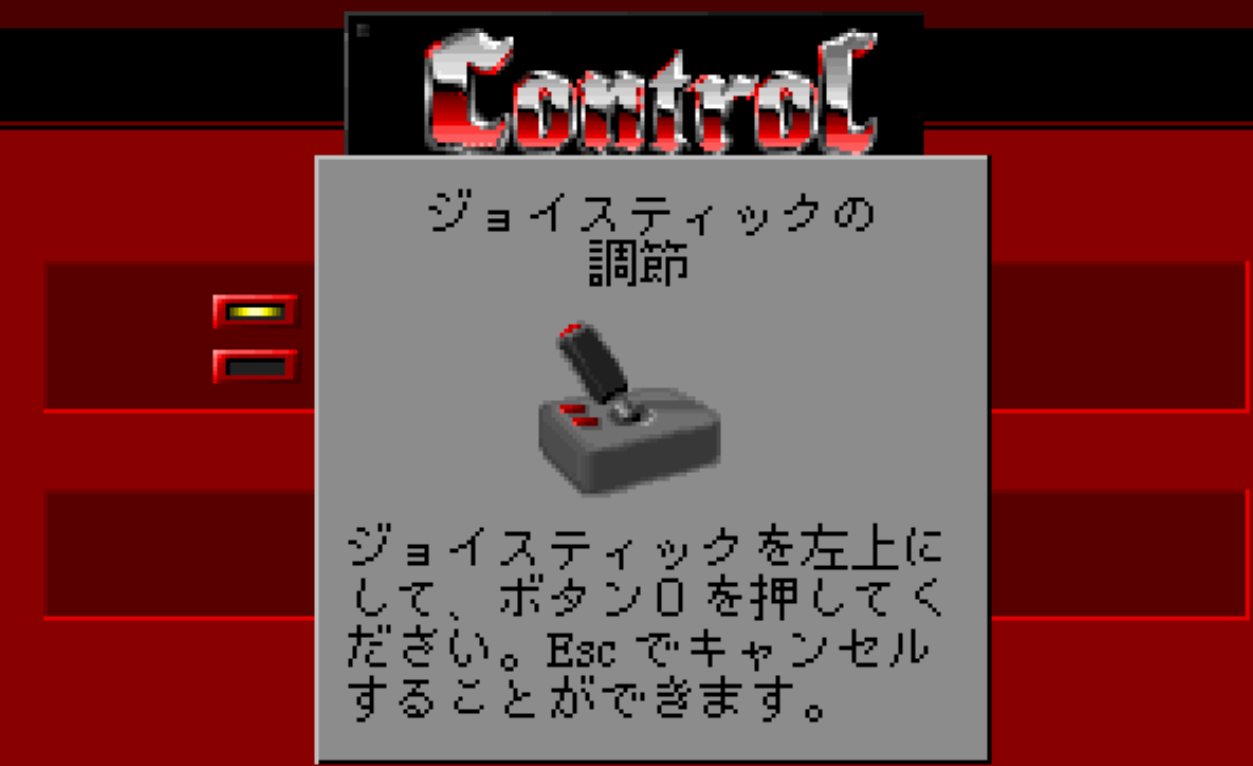
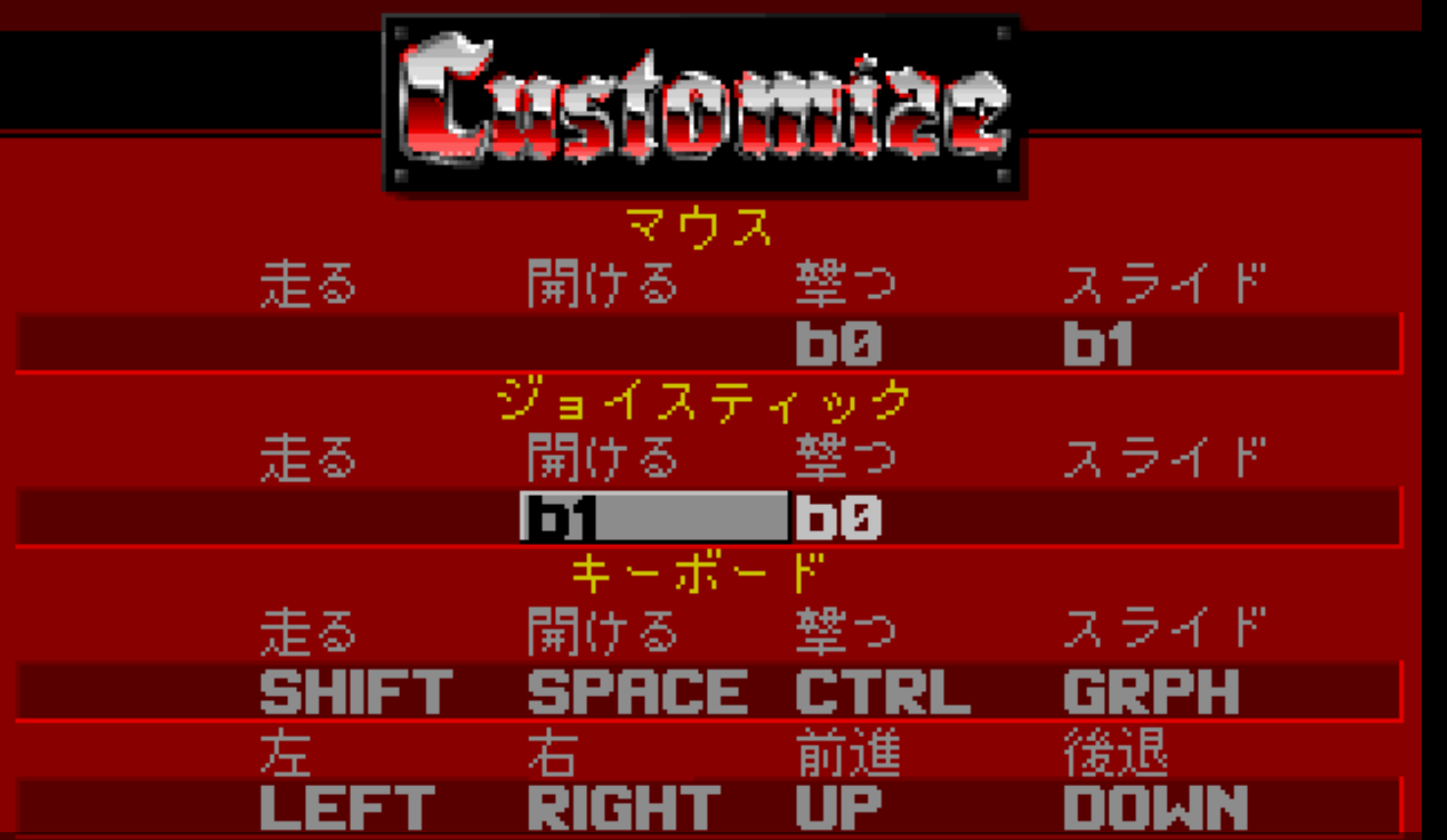
(first setup the emulator using this) GUIDE then follow the instuctions below.1. Use np21x64w.exe as the emulator and in Device -> Sound option... go to the JoyPad tab and check Use JoyPad-1 to enable use of your controller. (you will need to exit the app and start it back with a controller connected for it to be recognized) 2. In Emulate -> Configure for CPU set it to 2.4576MHz x 42 with Type Intel Pentium III. (this is overkill for most games but makes this run perfectly) 3. Memory doesn't have much effect with a CPU clock set that high but in Device -> Memory pick 3.6MB. 4. In Device -> Sound pick PC-9801-86 + Mate-X PCM(B460) + Sound Blaster 16 for the audio and music to work properly. 5. With Harddisk -> IDE #0 pick Wolfenstein 3D.hdi then click Emulate -> Reset for the game to load and start. 6. (Optional) With a controller connected go to the option above Load Game and pick the second option to calibrate and use your controller. 7. Doing the previous step will popup the box from Screenshot bolow. The text first says to move your joystick to the upper left corner and press b0 (A button on Xbox controller) then next it says to move it to the lower right corner and press b1 (B on Xbox) after doing those you can use your controller. 8. The bottom most option in Control brings up the Customize screen. Match yours to look like Screenshot 2. Since otherwise you won't be able to open doors with the controller (unfortunately you can't strafe and shoot and open doors, one has to be sacrificed) You can use both keyboard and joystick to control the game at the same time. 9. The option below Save Game configures the screen size. By default it's not set to max, so you may want to do that first before playing. After having done all that you can now start up and enjoy the game.